Gate 2 connection offers: a developer review checklist
16 November 2026
Review a Gate 2 offer with clear technical and commercial owners, four-week query checks, the normal 90-day acceptance window and limited extension rules.
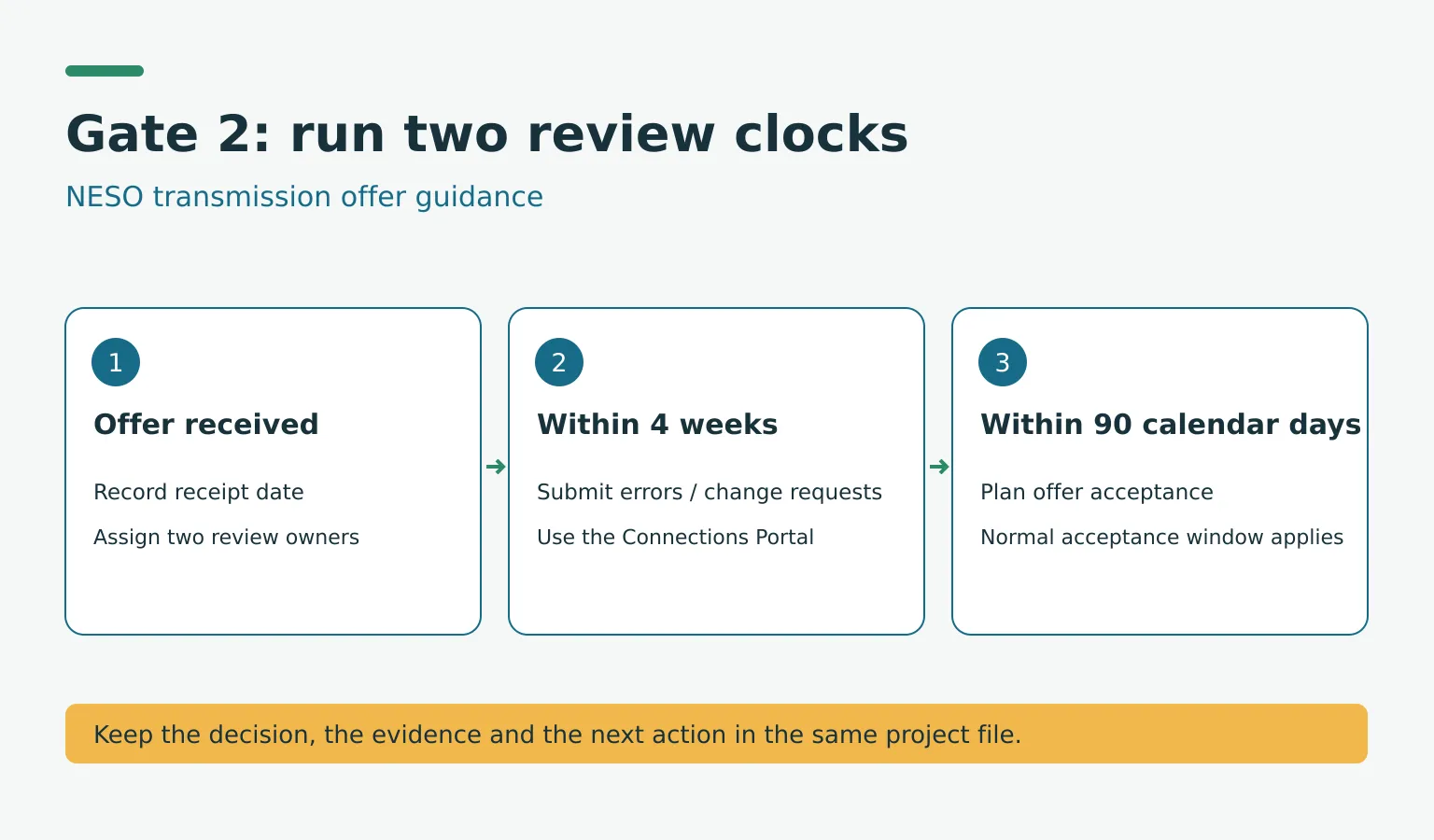
A Gate 2 connection offer needs technical and commercial review as soon as it arrives. NESO's current transmission guidance gives customers four weeks to raise errors or change requests and a normal 90-calendar-day acceptance window. Developers should record both deadlines, assign owners and avoid assuming that a query automatically extends the time to sign.
Published: 16 November 2026. Last reviewed: 16 November 2026.
Who should use this Gate 2 connection offer checklist?
This checklist is for project developers and their advisers reviewing offers under Great Britain's connections reform: England, Scotland and Wales. Northern Ireland is outside this NESO process. It is operational guidance based on NESO's published offer-review and customer-support instructions, not an announcement of a new rule taking effect today.
The deadlines below concern NESO-managed transmission offers. If your offer is issued and managed by a distribution network operator, ask that DNO to confirm the applicable acceptance timetable and route for queries. NESO explicitly tells distribution-connected customers to work through their DNOs; copying a transmission deadline into a distribution project tracker is unsafe.
Record two clocks on receipt
For transmission offers, NESO says to read the offer immediately and accept within 90 calendar days. Errors and change requests must be raised within four weeks of receipt. NESO says an error query does not remove the requirement to accept within the normal acceptance window.
Set up a single offer register with these fields:
| Field | Action on receipt |
|---|---|
| Received date and offer version | Save the original offer and record when it arrived |
| Four-week query deadline | Allocate time for review and authorised submission before it expires |
| Acceptance deadline | Record the deadline stated for the offer and check it against the applicable timetable |
| Technical reviewer | Assign the connection, capacity and milestone checks |
| Commercial reviewer | Assign obligations, security, approvals and signature checks |
| Query reference and owner | Store the portal submission and track the response |
| Any agreed revised deadline | Keep the written confirmation alongside the original deadline |
NESO says offers go to the nominated commercial contact. Check that person's availability and authority immediately. A complete engineering review does not help if the signature process has not started.
Separate an error from a requested project change
An error query asks NESO to correct something believed to be wrong in the offer. A technical query asks for an allowable change. NESO says some changes are possible at this stage; others must wait until acceptance and then use modification applications or future application windows.
For a Gate 2 query, select “Gate 2 Offer” as the case reason in the Connections Portal. If both an error and a technical change need raising, NESO asks customers to submit them together in the same query so all changes can be captured.
Avoid a vague request such as “the milestones are wrong”. Identify the offer version, clause or schedule, disputed entry, supporting evidence and requested correction. Have the technical and commercial reviewers agree the submission before it goes through the portal.
Check what can change without assuming more time
NESO identifies forward milestones M5 to M8 as the milestones that can be updated at this stage. Read its current instructions before requesting any milestone change.
Its guidance also describes non-gated modification applications for decreases in capacity and removal of a technology type for directly connected transmission projects. It explicitly says these processes do not extend the offer acceptance period. Novation and administrative changes have their own routes. Match the request to the right process rather than treating every change as an offer correction.
Limited extension arrangements need confirmation
The same NESO page contains a specific section headed “Customers requiring an extension to their offer signing deadline (<2028 1 and 2a* protected)”. For affected customers in the re-offer process, where material errors require NESO or transmission owners to issue an updated accurate offer, it describes a four-week extension, subject to NESO agreeing a corresponding transmission-owner extension where required.
It also describes case-by-case consideration of extenuating circumstances and rare cases requiring an extension for other reasons. These are specific arrangements, not an automatic pause available whenever any customer raises a query. Ask through the Connections Portal whether the arrangement applies to your project and obtain confirmation of the actual signing deadline. DNO-managed customers must check with their DNO.
Worked example: a capacity request and an offer error
Suppose a transmission-connected battery developer receives an offer and spots an apparent error in a schedule. It also wants to reduce a capacity figure. On receipt, its project manager records the four-week query deadline and the normal acceptance deadline, then assigns an engineer and a commercial lead.
The team raises the error with the exact schedule reference and evidence. It asks NESO which modification route applies to the capacity decrease and combines related error and technical questions as instructed. Meanwhile, the commercial lead continues approvals for signing; the capacity request is not treated as an extension.
If NESO confirms that a material-error re-offer arrangement applies, the manager records the confirmed revised deadline. Until then, the tracker retains the original deadline. This is the difference between requesting more time and having an agreed timetable.
Know what allowing an offer to lapse means
NESO says that an unsigned Gate 2 offer is rescinded after its acceptance period and replaced with a Gate 1 Agreement to Vary offer. Developers should treat that as a consequential project decision, not an administrative way to gain extra review time. Seek project-specific technical, commercial and legal advice before accepting, rejecting or allowing an offer to lapse.
Recheck NESO's living guidance when an offer arrives, before submitting a query and before making the final acceptance decision. Recheck the deadline immediately after any re-offer or confirmed extension. The primary page reviewed does not display a publication date; its current instructions were checked on 16 November 2026.
Primary source
- NESO: Understanding your offer and the support available to you, current living guidance checked 16 November 2026. Covers transmission offer review, permitted requests, acceptance consequences and limited extension arrangements; directs distribution customers to their DNO.